URL: https://cp.serverdata.net/voice/
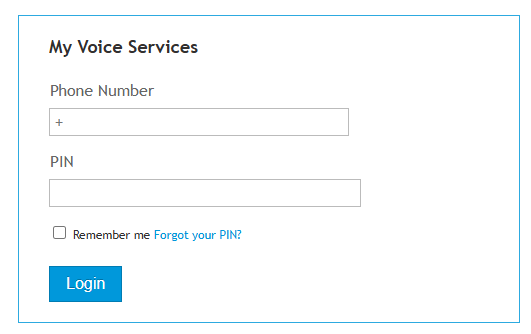
Enter your 11 digit fax number. You must include the leading 1.
Default PIN: 134679
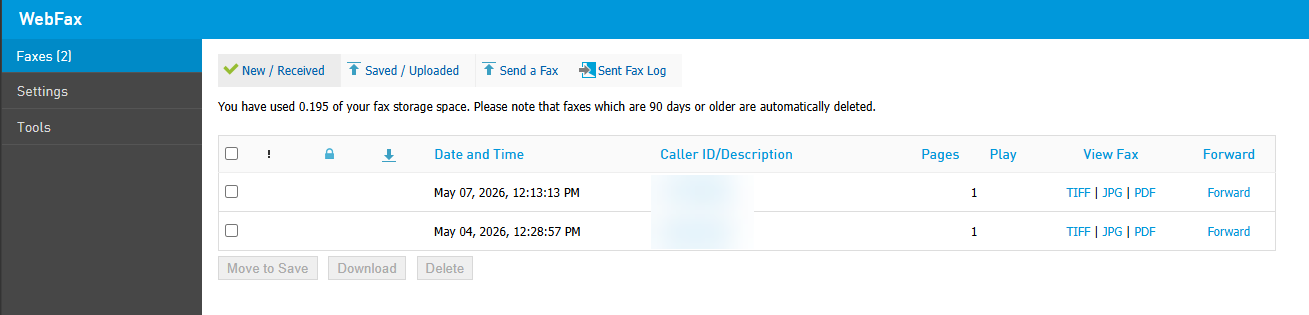
Once you have accessed the portal, you can view and send faxes.
The Faxes section will show New and saved faxes, Send Faxes and review your fax logs.
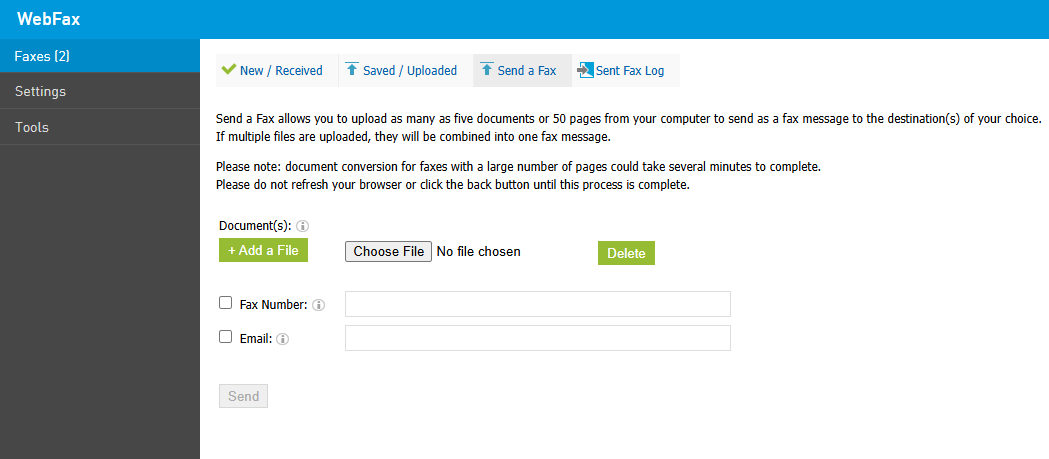
To send a fax, choose "Send a Fax", select Fax number and type in the 10 digit fax number you are sending to. Select "Choose File" to upload a file from your PC to fax. Then select "Send"
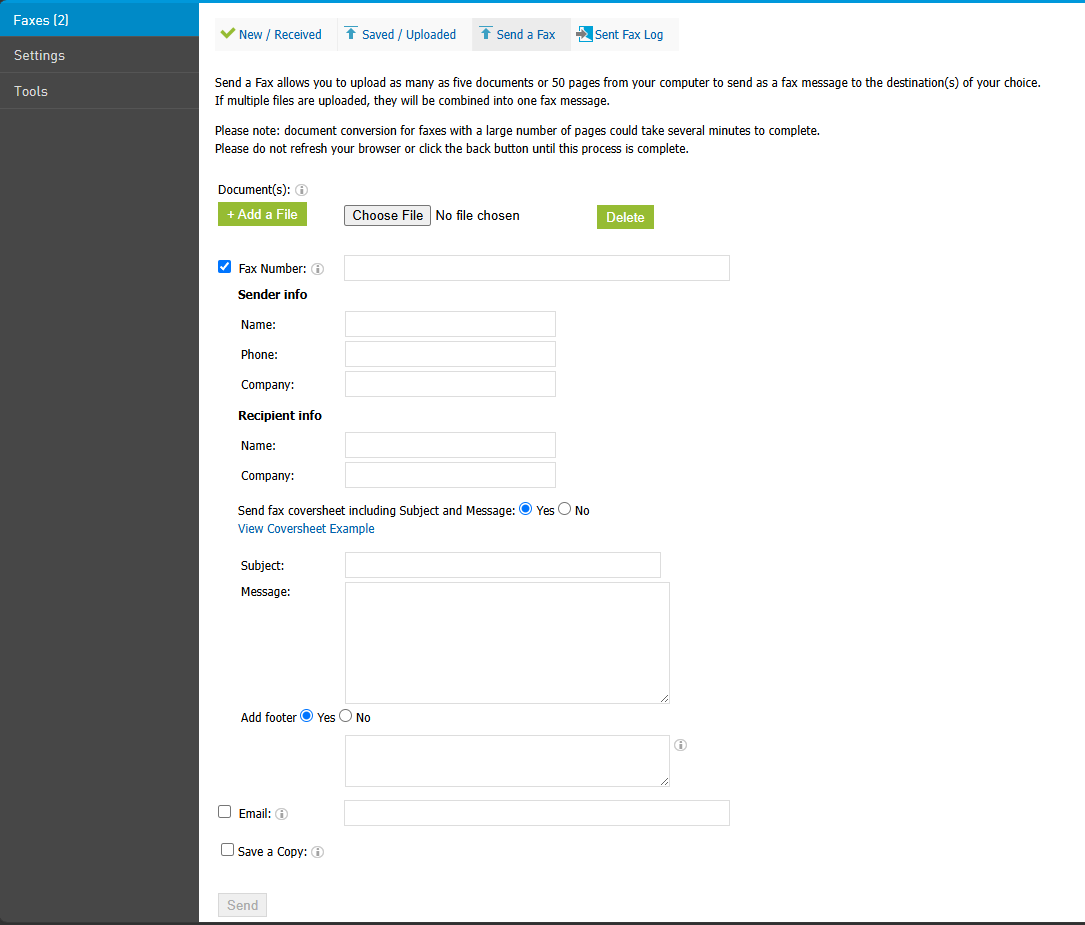
Additional options below are optional.
Online Fax Limitations
Fax calls are very sensitive to connectivity issues and large faxes require a long and flawless connection to be established between the sender and the recipient. It is recommended to keep faxes short so they can be sent out quickly. Apart from that, Online Fax has the following limitations:
- Up to five documents can be sent as a fax message at one time.
- A fax can be up to 50 pages long, meaning that even if you are sending multiple documents, they should sum up to 50 pages maximum.
- Your fax number may come with a set bucket of minutes, with each fax page typically taking about one minute to send. Once you've used up your included minutes, you can continue sending faxes, but overage rates will apply.
- A fax can be sent to up to 100 emails and/or numbers.
- Supported attachments are: .abw, .art, .arw, .avs, .bmp, .cin, .crw, .csv, .dcx, .doc, .docx, .eps, .fax, .gif, .gs, .html, .jpeg, .jpg, .key, .lwp, .numbers, .odg, .odp, .ods, .odt, .otp, .ots, .ott, .pages, .pcd, .pcx, .pdf, .png, .pps, .ppsx, .ppt, .pptx, .psd, .rtf, .sdc, .svg, .tex, .txt, .vsd, .wpd, .wps, .xls, .xlsx, .xlt.
Was this article helpful?
That’s Great!
Thank you for your feedback
Sorry! We couldn't be helpful
Thank you for your feedback
Feedback sent
We appreciate your effort and will try to fix the article